Learn how to create custom animations for cookie consent in Webflow. This tutorial guides you through applying in and out animations to the FinnSuite cookie consent banner using Webflow's interaction settings, ensuring a seamless user experience.
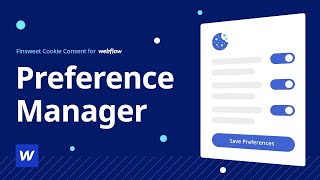
Learn how to set up Option 2 and Option 3 in Webflow from scratch, ensuring GDPR compliance and providing a seamless user experience. Follow step-by-step instructions for UI setup, adding attributes, creating symbols for reusability, setting up cookie scripts, and finalizing with testing.
Learn how to build a manage cookies component in Webflow with this step-by-step tutorial. Create the component, preferences popup, and set attributes for seamless cookie management. Test the functionality and utilize visual debugging for a complete system.
Learn how to enhance your website's visual appeal by applying gradients and background images to text elements in Webflow. Elevate your design with advanced techniques for creating visually stunning text effects.
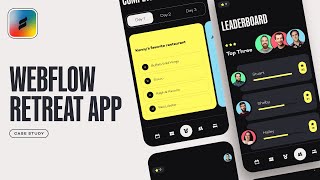
Create an engaging team retreat announcement experience in Webflow with this step-by-step tutorial. Learn to utilize Webflow's extensive features to build an interactive web reveal, mobile app, and thematic design without complex coding. Improve team engagement and event promotion effortlessly!
Create powerful online marketplaces using Webflow, Airtable, and Zapier. Learn to build community-driven platforms without extensive coding knowledge. Explore real-life examples in New Zealand and Zambia, showcasing the impact of these no-code tools.
Learn how to build MVPs and add features with Webflow! Discover a step-by-step guide covering goal setting, page design, Webflow CMS, database integration, and workflow automation for a structured and organized development process. Ideal for beginners and experienced no-code users.
Learn how to use Airtable as your Webflow CMS and gain greater control over your collections. Streamline your workflow by integrating Airtable and Zapier. Subscribe for more tutorials on optimizing your workflows.
Learn how to create captivating rotating tabs in Webflow with our step-by-step tutorial. Enhance user experience and engagement by adding dynamic and visually appealing elements to your website.
Learn to create a stunning transition interaction in Webflow with this step-by-step tutorial. Set up the structure, add elements, style them, and implement advanced interactions and animations for an engaging user experience.
Learn why Webflow is the ideal tool for creating online marketplaces. Explore its design capabilities, user-friendly interface, SEO features, and seamless integrations with third-party tools. Consider various factors for choosing the right tool and discover a real-world case study showcasing the benefits of using Webflow for The Unicorn Factory marketplace. Start your journey of creating a successful online marketplace with Webflow by leveraging its strengths and aligning them with your vision and goals.
Learn how to utilize 3D transformations in Webflow to create visually captivating websites with depth and interactivity. Explore scaling along the z-axis, creating depth, applying z-scale and rotation, adding interactive effects, and smooth transitions for a dynamic user experience.
Learn how to effortlessly manage image sizes and aspect ratios in Webflow with the object-fit feature. Say goodbye to tedious cropping and resizing in external software, and optimize your website's visual appeal seamlessly.
Learn how to quickly create a functional CMS slider in Webflow without complex coding. Follow step-by-step instructions to add CMS collection, style slider content, assign CSS classes, integrate custom code, add navigation buttons, and optimize slider for a seamless user experience.
Learn how to enhance your website's user experience with cookies. Utilize Webflow and cookies to personalize user preferences and implement a favoriting system for a seamless and engaging experience.
Enhance your Webflow projects with these 6 powerful tools: Pastel for feedback, Finswee Chrome Extension for better design, Flowbase Component Library for easy integration, Wizz for advanced app building, Jetboost for extended content sorting, and Lottie Files for interactive animations. Optimize your Webflow workflow now!
Learn how to set and understand the maximum width of text elements in Webflow using the "ch" unit. Control the readability and aesthetics of your website's content with this powerful tool. Optimize your web design projects with precision and create visually engaging typography systems.
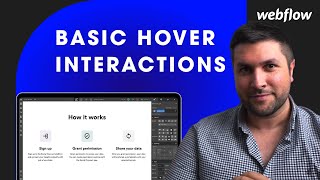
Learn how to implement captivating hover effects and animations in Webflow without code. Elevate user experience and engage visitors with visually appealing interactive elements using keyboard shortcuts and Webflow's intuitive interactions panel.
Learn how to create and customize a style guide for your website in Webflow. This step-by-step tutorial covers creating, customizing, and maintaining a style guide to ensure consistency across your website, aiding scalability and onboarding new developers.
Learn how to implement grid layouts in Webflow with this step-by-step guide. Discover the flexibility and responsiveness of grids for creating visually appealing website sections, from icon layouts to text and image combinations. Start optimizing your website design process today!
Learn how to create focus-racking effects in Webflow. Follow our step-by-step tutorial for implementing visually engaging scroll-based animations without the need for coding. Unlock the potential of captivating web design.
Learn how to easily create perfect page transitions in Webflow! Elevate your website's user experience with seamless and stylish transitions. Master step-by-step guidance for implementing professional and smooth page transitions without the hassle.
Learn how to build and test jQuery code in Webflow effectively. Discover debugging techniques and optimizing code for efficient maintenance. Enhance your jQuery knowledge and empower your web design projects with advanced techniques. Explore the official jQuery documentation and advanced tutorials to expand your skills further.