Learn how to use Quick Stack in Webflow to build production-grade layouts efficiently. Understand its anatomy, adding content, and when to use Quick Stack versus flexbox or CSS grid. Embrace Quick Stack for fast 2-dimensional layout development.
Learn how Token Studio in Webflow enables centralized management of design tokens, allowing for efficient global updates. Follow the steps for setting up with Figma, applying tokens in Webflow, managing colors, sizes, spacing, grids, fonts, and borders, ultimately enhancing design consistency.
Learn how to streamline responsive website spacing with the Lumos adaptive spacing system in Webflow. Enhance consistency and manage adaptive padding, margins, and gaps effortlessly across breakpoints for visually appealing designs. Ideal for beginners and experienced designers alike.
Enhance your Webflow website's visibility and ranking on search engines with these top 10 SEO best practices. Focus on quality content, backlinks, title tags, alt text, strategic keyword placement, heading tags, internal linking, indexing, 301 redirects, and page speed optimization. Consistently implementing these practices will improve your site's search visibility and organic traffic growth.
Enhance your Webflow site by integrating Zero for effective user management. Follow our step-by-step tutorial to create a Zero tenant, configure social connections, and implement the Zero client for seamless user authentication and data security in your Webflow application.
Learn how to use Webflow libraries to expedite web design. This guide covers exploring, installing, and leveraging components from various libraries to create visually stunning and functional websites with ease. Whether a seasoned designer or a beginner, dive into a world of possibilities with Webflow libraries.
Learn how to build a backend API for a Webflow project using Cloudflare workers. Implement middleware for authentication, handle user IDs, and secure endpoint access. Enhance your project's security and reliability.
Learn how to improve user experience by creating a visually appealing table of contents with images in Webflow. Enhance navigation through long-form content with in-page anchor linking, styling, and CMS integration. Optimize website functionality with practical design and management strategies.
Create dynamic and consistent web designs with Webflow by using components in Collection lists. Learn how to set up component properties, configure Collection lists, connect components to dynamic content, and edit component structures. Enhance your website's visual appeal without code.
Learn to create automated workflows in Webflow with Airtable and Make.com. Set trigger types, integrate with Make.com, retrieve Airtable records, trigger workflows, and update Webflow items in real-time. Automate your Webflow update process for seamless production.
Learn how to create custom open graph images for landing pages using Webflow. This guide covers using Airtable, Placid, and Webflow to generate dynamic open graph images for social sharing and previews. Optimize your visual representation on social media with this powerful workflow.
Learn how to create API endpoints for a to-do app using Cloudflare Workers & integrating them with Webflow. Discover the potential of serverless & edge computing for rapid web app development.
Enhance web design skills and streamline your Webflow projects with 7 expert tips and tricks. From setting up a style guide to leveraging SEO practices, these techniques will boost efficiency and elevate your web designs. Discover how to optimize your Webflow projects and deliver exceptional web experiences.
Learn how to enhance your Webflow site with smooth scrolling using the Linus Library. Follow the step-by-step tutorial to set up Linus, configure smooth scrolling attributes, and demonstrate the infinite scrolling effect for a modern and polished user experience.
Learn how to create a unique layout in Webflow. Follow our tutorial to build engaging designs with text and images. Enhance your website's professional look effortlessly.
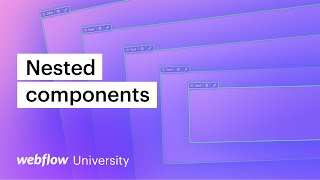
Learn how to use advanced components in Webflow to improve website design efficiency. Explore nesting, editing, content control, and multidimensional components for sophisticated and consistent designs. Master Webflow skills with these advanced techniques.
Learn how to efficiently manage spacing and create consistent designs across a large website using Webflow. Implement purpose-based Global classes for flexible and efficient redesigns.
Create a user-friendly, responsive custom slider in Webflow with this step-by-step tutorial. Learn how to add a section, style it, and implement a scrollable container using custom CSS for enhanced visual appearance. Preview and publish to ensure a seamless user experience.
Learn how to effectively design a website in Webflow using Figma as a reference and transitioning between design widths for responsiveness. Utilize the Figma to Webflow plugin and fluid typography for seamless user experiences.
Learn how to create advanced web transitions using Barbajs and gsap flip animations for a seamless user experience. Dive into building circle expansions, logo movements, transitions, reusable animations, and more in our Webflow tutorial.
Learn to create scroll interactions in Webflow without custom code. Our tutorial guides you through setting up collection lists, adding content and images, creating scroll interactions, and ensuring a responsive design. Preview and optimize for a seamless user experience.
Learn how to implement Barba.js for seamless page transitions and custom animations in your Webflow project. Create engaging SPAs and enhance user experience with Barba.js.
Learn how to make a domain change in Webflow seamlessly with this comprehensive guide. Explore the essential steps, testing procedures, and post-migration considerations for a successful transition.
Learn to create a grid list collection layout with GSAP Flip in Webflow. Explore coding without GSAP, implementing GSAP Flip library for animations, considering reduced motion preference, and adding local storage for a seamless user experience.