Learn to build a Webflow CMS dynamic tabs component from scratch with this comprehensive tutorial. Gain a deep understanding of creating dynamic tabs in Webflow using the Finsweet CMS library. Perfect for beginners and intermediate level users.
Learn how to utilize Webflow's CMS library for range-based content filtering. Follow step-by-step instructions for setting up project ranges, creating filter buttons, and implementing range filtering using custom code. Enhance user experience by enabling visitors to refine content based on specific numerical criteria.
Learn how to build a dynamic slider component in Webflow using Finn Sweet CMS library. Follow the tutorial to create and integrate a truly dynamic slider, pulling data from a CMS collection list. Master the structure, implementation, custom classes, and code required for a successful dynamic slider in Webflow.
Learn to build a dynamic CMS slider with Webflow effortlessly. Follow step-by-step instructions to create a visually appealing and fully functional dynamic slider for your website using Webflow CMS. Optimize your web design skills effectively!
Learn how to build a dynamic tabs component in Webflow using the CMS library. This tutorial will guide you through the process, including setting up the tabs component, configuring the data feed, defining tab names, and integrating custom JavaScript code for dynamic functionality. Test and refine the dynamic tabs for a seamless user experience. Elevate your Webflow sites with CMS-driven components.
Learn how to set up a reset all button in Webflow CMS library. Clear all active filters and reset the grid with this step-by-step tutorial for Webflow users. Enhance your Webflow projects' filtering capabilities and improve user experience.
Build an interactive pricing calculator with checkboxes in Webflow, allowing users to dynamically select options and view the updated total price in real-time. Follow step-by-step guidance on structuring, applying classes, data attributes, and implementing JavaScript for seamless user interaction. Enhance website engagement with engaging forms featuring real-time calculations.
Create a pricing calculator with select inputs and a Webflow form. Follow the tutorial to set up and apply values to select options, use custom classes and data attributes, and incorporate JavaScript for total cost calculation. This dynamic tool will enhance user interaction and streamline total cost submission through Webflow forms.
Learn how to create a pricing calculator using radio buttons and a Webflow form in this beginner-friendly tutorial. Customize radio button values, apply custom styles, and implement JavaScript for dynamic total calculation and form submission within Webflow. Master interactive element design for engaging web experiences.
Learn how to create customizable website sections with Webflow. Empower clients to build their own pages using pre-defined sections. Follow this step-by-step tutorial to set up collections, add page sections, and enable multi-reference fields for seamless customization.
Learn how to create a visually stunning and responsive church website with Webflow. This tutorial covers design analysis, asset export, font and style setup, button and image styling, dynamic interactions, and more for a visually appealing and scalable design.
Implement a real-time text mirroring feature in Webflow to enhance user interaction. Learn to create form and text elements, use unique IDs, and add custom JavaScript for real-time mirroring. Personalize user experience by styling text elements. Follow simple steps to integrate this feature without advanced coding.
Discover how to enhance your Webflow site with the Effing Sweet Scroll Bar Styler Chrome extension. Style scroll bars effortlessly without manual CSS coding. Elevate your website's aesthetics visually. Try it now!
Learn to use Class Adder in Webflow with this beginner's guide. Explore its use case with a simple chicken and egg example. Implement interactive behavior without complex interactions. Start creating dynamic experiences on your website now.
Enhance your Webflow site with Class Adder. Learn what it is, why it's important, and how it can benefit you. Find out how to use triggers and actions, and explore its role as an add-on to Webflow interactions. Unlock its potential with tutorials and use cases.
Learn how to create a captivating background image hover effect using Webflow's advanced class adder and custom JavaScript integration. Follow this step-by-step tutorial for seamless hover interactions and dynamic image changes. Enjoy enhancing your website's user experience with engaging hover effects.
Learn how to create a seamless light and dark mode toggle using Class Adder in Webflow. Add and remove classes on click events to transition between modes effortlessly. Enhance user experience and engage visitors with customizable design preferences.
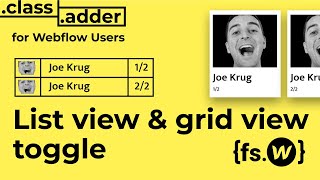
Learn how to create a toggle button for list view and grid view in Webflow. Utilize the Class Adder tool to add and remove classes, allowing users to seamlessly switch between different display layouts. Enhance your website's user experience with this interactive feature.
Learn how to effectively disable body scrolling in Webflow when a modal is open. Enhance user experience by utilizing Webflow interactions and the class adder tool without complex coding. Contact FinnSuite for further assistance.
Learn how to build a dynamic travel website with Webflow without writing code. Design engaging homepages, create dynamic content using Webflow CMS, and incorporate interactive features for an immersive user experience.
Explore implementing the F'in Sweet CMS library for Webflow with the ultimate guide. Learn to overcome the limitations of nested collections and simulate multiple collections effortlessly. Unlock the potential of the Nest component for dynamic and versatile collections.
Create powerful combined components in Webflow using the F and Sweet CMS library. Learn how to build, customize, and implement combined components for efficient management and display of dynamic content on your website.
Learn how to build a dynamic contact section in Webflow using the F'N Sweet CMS library. Integrate the library seamlessly and create a fully functional contact form to enhance user interactions on your website.