Learn how to submit web forms to custom backends using Webflow. Our tutorial covers setting up a custom backend, configuring the form in Webflow, adding JavaScript code, and utilizing the custom backend effectively. Enhance your control and customization over form submissions with this comprehensive guide.
Create dynamic and visually stunning websites using the powerful Webflow platform. Learn how to enhance automation workflows through Make's advanced capabilities. Explore seamless data integration and error handling, and discover innovative automation scenarios.
Learn how to create a card slider effect in Webflow using this step-by-step tutorial. Set up the structure, import the swiper library, add content, navigation, and controls, make it responsive, and enhance the slider effects. Publish a visually appealing and interactive slider for your website.
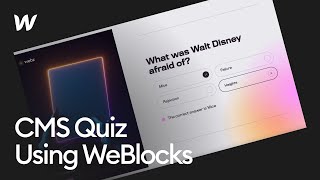
Learn to build a CMS-driven quiz in Webflow with this comprehensive tutorial. Discover how to engage your audience with interactive quizzes that track progress, validate answers, and display completion messages. Perfect for beginners and Webflow enthusiasts.
Learn how to use variables in Webflow to ensure consistency and make global updates to styles across all pages. Explore creating, using, and updating variables for size, color, and theme management, enhancing your project's design consistency and efficiency.
Learn how to add SVGs to your Webflow project using Webflow's Dom element. Follow these steps to style and animate individual paths within the SVG, providing flexibility and control over your design.
Learn how to effectively style form blocks, including checkboxes, within Webflow. Customize text and button colors to match your website's theme. Follow step-by-step instructions to modify checkbox appearance and background color when checked. Achieve visually appealing and cohesive designs with Webflow's user-friendly interface.
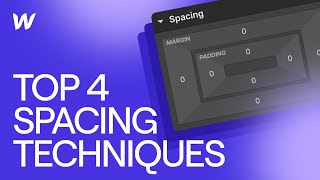
Learn the best practices for creating consistent spacing in Webflow. Explore methods like margin, padding, spacer divs, and Flex Gap, and their pros and cons. Achieve a polished design with precise control.
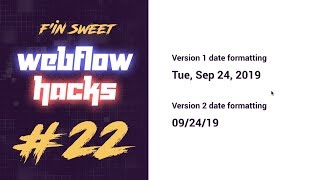
Learn how to display and customize the current date in Webflow using JavaScript. Follow this tutorial to add the live date, customize its format, and enhance your website's interactivity with Webflow and JavaScript.
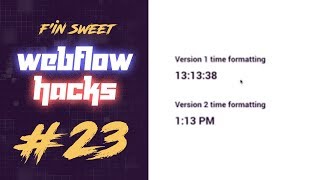
Learn how to create a live time display in Webflow using JavaScript. This tutorial guides you through adding unique classes, applying custom JavaScript code, and formatting the time in different ways for a dynamic and interactive webpage.
Create game-like functionality on your website using Webflow. Learn to build interactive game boards with sounds, points system, and game over message, enhancing user engagement. With Webflow's design features and JavaScript integration, bring dynamic experiences to your audience.
Learn to simplify icon usage in Webflow by downloading and integrating Google's Material Icons as an icon font. Enhance site flexibility and customization with this step-by-step guide.
Learn how to style each collection item individually in Webflow with custom code. Create alternating backgrounds, customize colors, and style other elements for a unique design. Optimize your collection list with full control over styling.
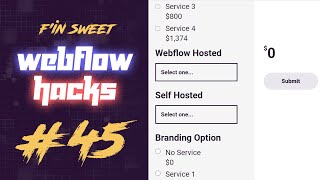
Learn to create a dynamic pricing calculator using Webflow. Delve into HTML, CSS, and JavaScript to build a comprehensive solution. Enhance user experience by capturing and calculating values with checkboxes, radio buttons, and select fields dynamically.
Learn how to create a captivating 3D scroll interaction using Webflow and Spline. Follow a step-by-step guide for seamless integration and enhanced user experience.
Learn to implement user authentication and access control in Webflow using Auth0. Decode and validate access tokens, identify users, and integrate a Node.js backend. Connect front-end actions, enabling authenticated requests and seamless user interactions. Explore the potential of integrating payment systems in upcoming tutorials.
Learn how to write your first JavaScript code in Webflow! Follow along with this tutorial and create a separate JavaScript file, understand variables, perform arithmetic operations, create functions, and use If-Else statements. Start building interactive and dynamic web experiences now!
Learn how to build a visually stunning banner in Webflow. Follow this step-by-step tutorial to create an elegant banner with structure, interactions, and animations, enhancing your website's visual appeal. Dive into the Webflow Designer and captivate your audience.
Learn how to create animated underlines and spoiler tags in Webflow. Enhance your website with interactive elements using box shadow properties, hover effects, and transitions. Explore Webflow's design and interaction features for comprehensive tutorials and resources.
Learn how to build an interactive slider in Webflow using swiper.js. Step-by-step tutorial covers setting up the slider structure, styling components, and integrating swiper.js for smooth functionality. Enhance user experience with a customizable slider design.
Learn about the significance of amber, blue, and pink color labels in Webflow's Style Panel for managing style properties effectively. Gain a clear understanding of inheritance and active changes to control your website's visual appearance across different breakpoints.
Learn how to create dynamic filter buttons in Webflow CMS. Enhance your website with interactive and user-friendly filtering functionalities powered by the F and sweet CMS library. Elevate the user experience by refining and exploring content based on specific criteria.
Learn how to implement a reverse proxy for Webflow projects, managing multiple web projects under a single domain. Follow step-by-step setup using Cloudflare Workers and Honu.js for seamless navigation and content delivery.
Learn to personalize success messages in Webflow forms based on user input. Follow these steps to create dynamic and engaging feedback for an enhanced user experience.