Learn how to enhance your website sections using color, dividers, and interactive elements in this Webflow tutorial. Optimize for different screens to create a visually engaging user experience.
Learn how to implement real-time search within a dynamic list in Webflow using the F and Sweet CMS library. Enhance user experience by enabling seamless, interactive content filtering. Create user-friendly websites with dynamic, customizable content filtering without complex coding.
Learn how to create a responsive navbar and symbols in Webflow. Harness the power of classes, combo classes, and symbols for efficient web design. Empower your web projects with these foundational concepts for seamless scaling and future modifications.
Learn how to create quick and engaging website interactions using Webflow. Implement shared and base classes to efficiently add subtle animations to enhance user experience. Rapidly modernize your website without extensive manual adjustments.
Learn how to implement a back button in Webflow to enhance user experience. Explore two methods: using an href link and jQuery with custom code, and ensure seamless navigation. Test and verify the back button functionality for a smooth user experience.
Learn how to build a tabs component with draggable tab links using Swiper.js within Webflow. Create an interactive user experience and enhance your website's usability with this step-by-step tutorial.
Learn how to create a clear call to action on your Webflow portfolio website without coding. Incorporate a strategic contact form to engage visitors and encourage them to hire you. Enhance user experience and responsiveness across devices.
Learn how to implement JavaScript and jQuery button functions in Webflow to enhance user interaction, update content, and create dynamic web pages. Follow step-by-step instructions for setting up elements, adding classes, inserting custom code, testing functionality, and exploring project demos.
Learn how to enhance Webflow collection pages with next and previous links using the CMS Next Prev Powerup. Ideal for beginners, this tutorial covers setting up, customizing navigation, and optimizing the display for a seamless user experience.
Explore the power of conditional visibility in Webflow with our comprehensive tutorial. Learn to control element visibility based on specific criteria, creating dynamic and personalized web experiences. Master conditional visibility to enhance user interaction and create engaging web designs.
Enhance your Webflow design capabilities by understanding the default container. Learn how to overcome its limitations with alternative container elements like div blocks and sections. Delve into best practices for optimal layout control.
Learn how to enhance your Webflow design process with utility classes & attribute selectors. Discover step-by-step techniques for creating, applying, and managing utility classes, along with best practices for maintaining a coherent design system.
Learn how to customize pagination elements in Webflow with this beginner-friendly tutorial. Make CSS customizations, address styling priority, add hover states, and publish your updated styles for a unique pagination design.
Learn how to use CSS viewport units effectively in Webflow to ensure consistent and responsive design across various devices. Delve into VH, DVH, SVH, and minimum height properties for visually compelling and adaptable websites.
Learn to effortlessly implement interactive and visually appealing Chart.js charts into your Webflow project. From setting up the environment to fetching real-time data, uncover the power of customization and integration with Webflow CMS. Start creating stunning charts today!
Learn how to build a seamless and responsive horizontal scroll for your website using Webflow's native interactions. Follow step-by-step instructions for creating the structure, setting up interactions, fine-tuning the scroll, testing, and addressing scroll speed discrepancies. Enhance user experience with a fluid and engaging browsing experience.
Learn how to integrate a secure payment processing system using Stripe with Webflow. Follow the tutorial to offer premium features to paid users and provide a seamless payment experience. Optimize your Webflow site with Stripe for efficient online payments.
Enhance your Webflow projects with jQuery! Explore jQuery basics, integrating with Webflow interactions, manipulating elements, and practical examples for a dynamic user experience. Discover the power of jQuery in Webflow!
Learn how to use Anime.js to create captivating animations in Webflow. Explore setting up initial states, configuring animation parameters, enhancing animations, diversifying triggers, and integrating complex transformations for dynamic effects. Elevate your Webflow projects with Anime.js!
Learn how to create a CMS-powered interactive map in Webflow. Build an interactive map allowing users to hover over dots to view location names and click to navigate to location pages. Set up the map structure, create a location collection, add interactive dots, and make the map responsive.
Learn how to personalize the form submission experience with a custom success message in Webflow. Follow step-by-step instructions to set up form elements and implement JavaScript code for dynamic message updates. Enhance user engagement and create an interactive website experience.
Explore the benefits of reverse proxy in Webflow, from hosting multiple projects under a single domain to enhancing security and implementing dynamic content. Learn how to leverage this powerful tool for advanced web development.
Learn how to use variables in Webflow for efficient website design. Explore font families, font sizes, color swatches, and responsive design with variables. Embrace Webflow's variables to streamline your website's design and enhance user experience.
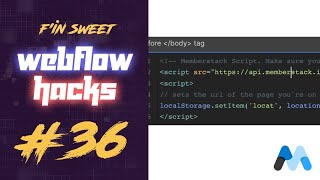
Learn how to redirect users after sign-up in Webflow using Memberstack. Use JavaScript to ensure a seamless user experience by redirecting users back to the page they signed up on. Ideal for membership-based sites with multiple sign-up forms.